
Set up your coding agents once
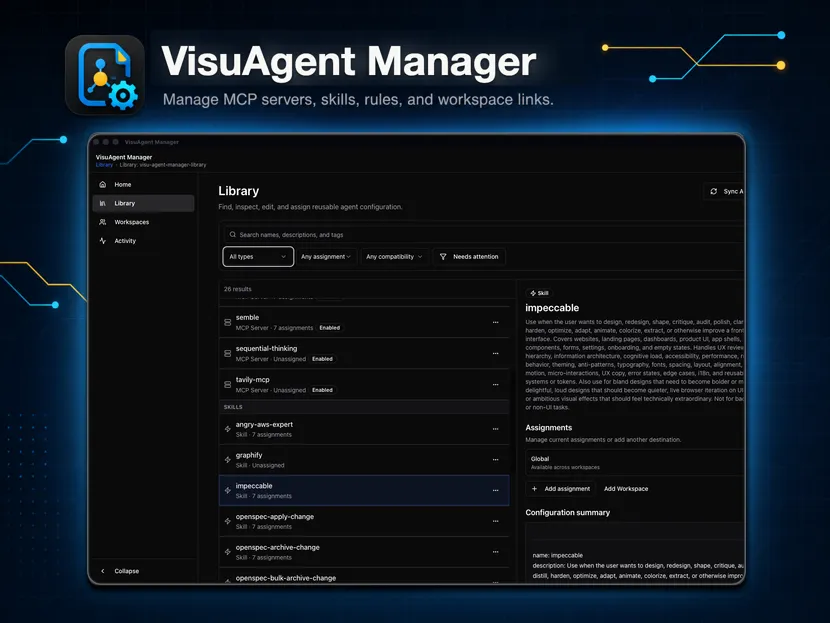
VisuAgent Manager keeps your MCP servers, skills, sub-agents, commands, rules, triggers, and instruction documents in one local library. Pick the agents and projects, then apply. What each agent supports varies, and the app tracks that for you.
Release history- 18 supported agents
- Your library stays on your machine
- Windows, macOS, and Linux
Desktop download
Install VisuAgent Manager
We’ll select the installer that fits this device. You can choose a different operating system before downloading.
Release historyRelease details are checked when you download, so the installer always comes from the promoted release.
Choose a platform and accept both agreements before downloading.
Launch pricing
One price. Lifetime desktop access.
Start with the complete product, then purchase a personal license when you are ready.
Personal license
$29.99
Lifetime access to current and future released VisuAgent Manager desktop versions.
- Use the Software on your devices under the EULA.
- Lifetime means versions released during the product's lifetime; it does not promise future development, hosted services, support, or maintenance.
Prices shown are base prices in USD. Taxes, currency localization, and the final total are confirmed at checkout.
The operational story
Two problems. One setup.
Each agent stores its configuration in different files, in different locations, at different scopes. Keep one reviewed library and let VisuAgent Manager handle that.
Every agent stores config differently
One agent reads a JSON file in your home directory, the next reads a markdown file in the project. VisuAgent Manager knows which files, locations, and scopes each agent supports, and only writes what that agent can use.
One library, many agents
Select several agents at once, review every change before it lands, and apply them together. You still see what each agent can and cannot take.
Manage supported agent configuration from one library
Shared Configuration Libraries
Store MCP servers, skills, sub-agents, commands, rules, triggers, and instruction documents in one library, then share that library across agents, computers, and developers.
Support-Aware Multi-Agent Management
Enable several coding agents at once. VisuAgent Manager checks the resource types, file locations, and scopes each one supports before it writes anything.
Import Existing Configuration
Read the config already on your machine into the library, then review and organize it beside everything else you keep there.
Transferable Setups
Copy a reviewed library to another computer, pick the destination agents and projects there, and apply the resources those agents support.
Workspace Targeting
Assign a resource to a user profile or a single project, so it only takes effect where you want it.
Bulk Review and Apply
Select several agents, read the full set of changes in one place, and apply them together instead of editing config folders by hand.
Portability
What moves and what stays
The library is portable
The library is files. Move them with Git or whatever file sharing you already use, and open them on Windows, macOS, or Linux. What is supported varies by agent, resource type, and user or project scope.
What stays on this computer
Accounts, authentication, chat history, unsupported application state, and your agent and project assignments do not travel with the library. MCP values you mark Sensitive are encrypted locally and kept out of the portable files; review imported environment values and mark credentials Sensitive before you share. On the new computer, re-enter the sensitive values, choose the destination assignments, and run Apply or Sync.
Do it by hand
Configure, transfer, or install it yourself
Each guide walks the native workflow first, step by step. VisuAgent Manager is the optional way to do the same thing for the resources it supports.
Compatibility
Supported coding agents
Use the same configuration library across these supported agents, with compatibility evaluated for the resources each one supports.
- Aider
- Antigravity
- Augment Code
- Claude Code
- Cline
- Codex
- CodeWhale
- Cursor
- Devin
- GitHub Copilot
- GitHub Copilot CLI
- Grok Build
- Hermes Agent
- Kilo Code
- Kiro
- OpenCode
- Roo Code
- Zed